
My reward code isn't workingUpdated 15 days ago
If your discount code isn't applying to your order at checkout or on your subscription, it can be due to the minimum spend requirements for your reward or that it can't be combined with other promotions or discount codes. This includes the free gift with your first subscription.
Please refer to the below chart for the minimum spend requirements
Points | Reward | Minimum Spend |
100 | £5 | £39 |
200 | £10 | £39 |
300 | £15 | £39 |
400 | £20 | £39 |
600 | £30 | £78 |
800 | £40 | £78 |
Can I stack my reward with another discount code or free gift?
No, loyalty rewards can’t be combined with other discount codes or complimentary gifts, in line with our terms and conditions.
My free gift is coming up as full price in my cart and I can't remove it, what do I do?
This reward can’t be manually removed from your cart. If you remove the code, it will return as a complimentary item.
My subscription is under the minimum spend requirement, how do I add a one time purchase to my order so I can use my discount code?
If your subscription order hasn’t reached the minimum spend, you can easily update it via your account.
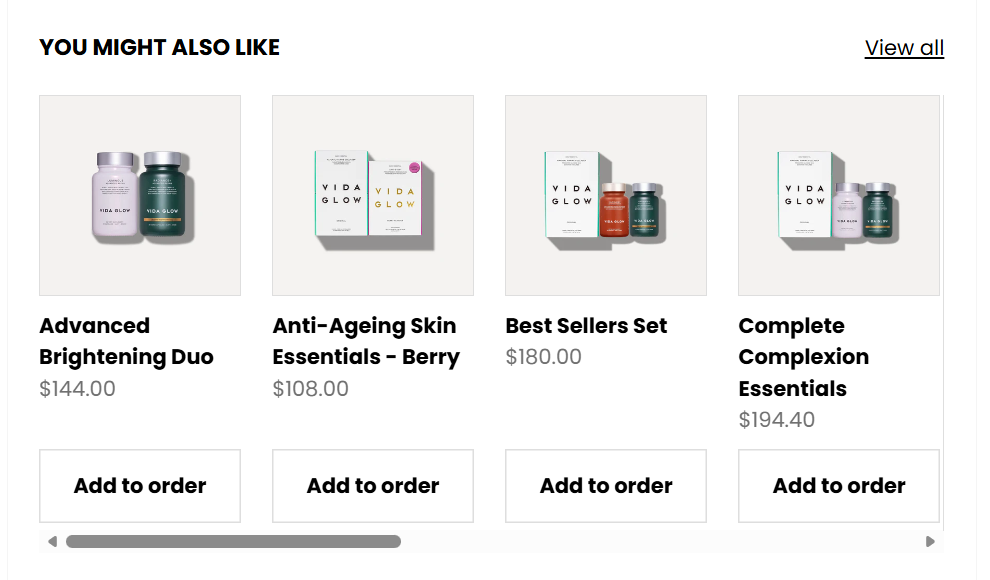
Log into your Vida Glow account and head to Manage Subscription, then select View or manage order. From here, you can add products using the You Might Also Like section to increase your order value.
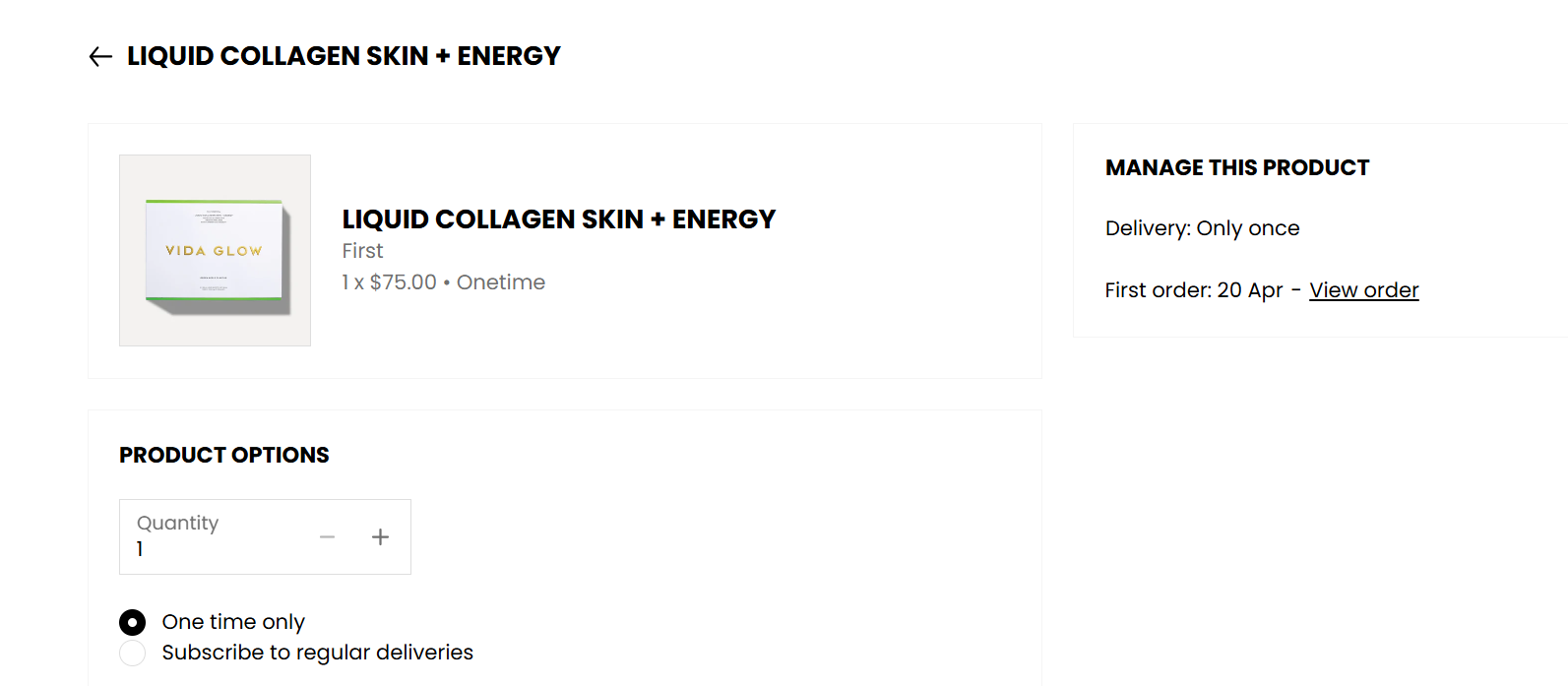
You will need to click One Time for the product as per the below image.
If you’re unsure what’s affecting your order, feel free to share a screenshot of your cart and our Customer Service team will take a closer look via [email protected].